Opening or updating multiple retail locations at the same time looks straightforward on a spreadsheet. In reality, one missed delivery, one delayed install, or one unclear handoff can create a chain reaction across every store in the rollout. That’s why multi-store rollouts fail more often due to execution gaps than strategy flaws.
A successful rollout is not about speed alone. It’s about planning timelines that reflect real conditions, budgeting for execution and managing installation with precision and visibility.
This guide breaks down how to plan a multi-store rollout the right way, with a clear focus on timelines, budgeting, and execution.
Why Multi-Store Rollouts Break Down So Often
Retail expansion has grown more complex, not simpler. The U.S. has over 1.1 million retail establishments, each with unique layouts, constraints, and operating hours, according to the U.S. Census Bureau. Managing one store is operational. Managing twenty, fifty, or a hundred at once is logistical.
Most rollout problems start with one of these assumptions:
- All stores are “basically the same”
- Installation can be handled at the end
- Timelines can be compressed later
- Store teams can absorb install work easily
In reality, small differences: ceiling heights, wall conditions, access hours, local rules, compound quickly. When execution is not planned early, delays spread fast.
What a Multi-Store Retail Rollout Actually Includes
Before planning timelines or budgets, it’s critical to understand what a rollout truly covers.
A multi-store rollout typically involves:
- Store fixture installation (shelving, gondolas, counters, displays)
- Signage and graphics installation (walls, windows, floors)
- Custom or semi-custom millwork installs
- Seasonal or promotional changeouts
- Pop-up or temporary retail builds
- Coordinated installs across multiple locations
Clear scope prevents unrealistic timelines and protects budgets from late surprises.
Step One: Define Rollout Goals Before Setting Dates
Many rollouts fail because dates are set before goals are defined.
Before touching a timeline, answer these questions:
- Is this a new store launch, a remodel, or a refresh?
- Is the rollout permanent or seasonal?
- Are all locations included or phased?
- Is there a pilot store?
For example, a seasonal signage change across 40 stores has a very different risk profile than a full fixture rollout across 12 new locations. Without clarity, teams guess, and guesses create delays.
A short alignment phase up front saves weeks later.
Step Two: Build a Realistic Rollout Timeline
A strong rollout timeline is built backward from install readiness, not launch ambition.
A realistic timeline accounts for:
- Pre-install surveys and measurements
- Fixture and graphic readiness
- Delivery sequencing by location
- Store operating hours
- Install windows (overnight or off-hours)
- Pilot installs and learnings
- Buffer time for adjustments
One of the most common mistakes is scheduling installations before confirming site conditions. A survey that happens too late almost always forces last-minute changes.
According to the research, project delays are frequently tied to poor workload planning and resource assumptions. Retail rollouts are no exception.
Timelines should reflect what crews can actually execute, not what looks good in a deck.
Step Three: Budget for Execution, Not Just Materials
Many rollout budgets focus heavily on fixtures and graphics while underestimating execution costs.
A complete rollout budget includes:
- Installation labor across regions
- Travel and crew coordination
- On-site adjustments and customization
- Rework caused by unclear instructions
- After-hours or overnight installs
Cutting execution costs often leads to:
- Inconsistent installs
- Brand misalignment
- Store downtime
- Higher rework costs later
The most cost-effective rollouts are not the cheapest up front. They are the ones executed correctly the first time.
Step Four: Standardize Where Possible, Adapt Where Required
Standardization is essential for speed. Blind uniformity is not.
Stores differ in:
- Wall construction
- Ceiling height
- Power access
- Entry points
- Square footage
Strong rollout plans standardize:
- Fixture packages
- Install methods
- Documentation
- Quality checks
They allow flexibility in:
- Placement adjustments
- On-site modifications
- Local constraints
This balance protects brand consistency while keeping installs moving.
Step Five: Treat Installation as the Critical Success Point
No matter how strong the strategy or how clean the design, the rollout succeeds or fails during installation.
This is where:
- Fixtures meet real walls
- Graphics meet real surfaces
- Timelines meet store operations
Poor installs show up immediately to customers. Crooked signage, uneven fixtures, or rushed work damage brand trust faster than almost anything else.
Experienced installation teams understand:
- How to work within live retail environments
- How to solve problems on site
- How to keep stores operational
- How to execute consistently across locations
Installation is not a final step. It is the critical execution layer.
Step Six: Maintain Visibility Across Every Location
Leadership frustration during rollouts usually comes from lack of visibility.
Common questions include:
- Which stores are done?
- Which are delayed?
- What issues are unresolved?
- What does the site actually look like?
Real-time project tracking changes everything.
Effective rollout visibility includes:
- Live timelines by location
- Field photos during and after install
- Issue logs and resolution notes
- Centralized documentation
This level of transparency allows faster decisions and fewer surprises.
Step Seven: Post-Install Audits and Rollout Closeout
A rollout is not complete when the last crew leaves.
Strong closeout includes:
- Punch lists for final fixes
- Store manager confirmation
- Photo documentation
- Lessons learned for future rollouts
This step improves the next rollout and protects brand standards long-term.
How to Plan a Retail Rollout for Your Business
| Planning Step | Why It Matters |
|---|---|
| Define rollout goals | Establishes clear objectives and project scope. |
| Build a realistic timeline | Helps prevent delays and improves coordination. |
| Prepare installation plans | Ensures consistent execution across every location. |
| Track progress | Identifies issues early and keeps the rollout on schedule. |
Planning a successful retail rollout starts with defining clear goals, creating realistic timelines, and preparing every location before installation begins. Coordinating teams, materials, and schedules early helps reduce delays and keeps projects on track. Working with experienced installation partners also ensures consistent execution across every store while minimizing operational disruptions.
Common Multi-Store Rollout Mistakes to Avoid
Even well-funded rollouts run into trouble when execution realities are overlooked. These are the most common mistakes that delay openings, inflate costs, and weaken brand consistency.
Locking launch dates before install readiness
Setting store opening dates before site surveys, material readiness, and install windows are confirmed creates avoidable pressure. When one location slips, the delay often cascades across the entire rollout.
Skipping pilot installs
Rolling out nationally without testing at one or two locations increases risk. Pilot installs surface real-world issues; site conditions, access limits, timing constraints, before they impact every store.
Assuming all stores are identical
No two retail locations are exactly the same. Differences in wall construction, ceiling height, floor conditions, or operating hours require on-site judgment. Ignoring this leads to rushed fixes and inconsistent results.
Underestimating installation labor
Installation is not just “putting things up.” Coordinating crews, working around store hours, handling customization, and solving issues on-site requires skilled labor and realistic time allocation.
Lacking real-time visibility
Without clear updates, field photos, and progress tracking, leadership is forced to guess. This slows decisions, increases stress, and makes small issues harder to fix quickly.
How Teamwork Supports Multi-Store Rollout Execution
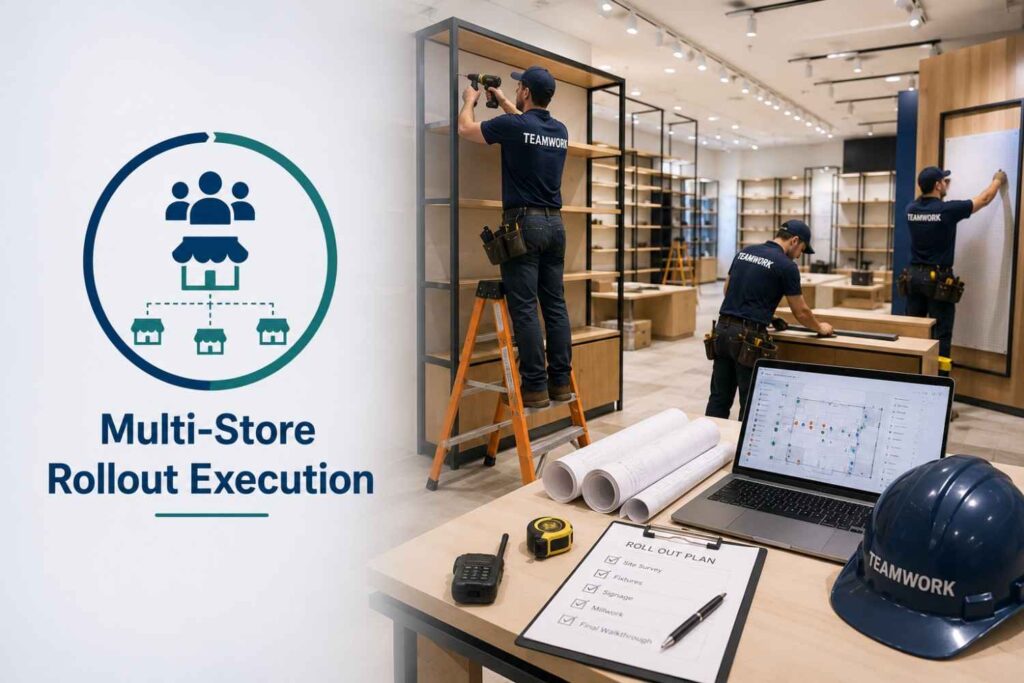
Teamwork does not design stores or manufacture fixtures. They work from approved plans and ensure installs are completed accurately, efficiently, and consistently across locations.
Hands-on retail installation services
Teamwork’s crews work inside active retail locations. They install fixtures and displays while accounting for store hours, customer flow, and on-site constraints. The goal is simple. Get the work done without slowing the store down.
Fixtures, signage, and millwork installs
Install work covers shelving, counters, merchandising displays, wall graphics, and custom millwork. Each install follows approved plans, with attention to fit, finish, and consistency across locations.
Pop-ups and national rollouts
Some projects last week. Others span months and multiple regions. Teamwork supports both. Crews, schedules, and install sequences are coordinated so locations stay aligned and rollout timelines do not drift.
On-site customization and problem solving
Real stores rarely match drawings perfectly. When walls are uneven, dimensions are off, or access changes, adjustments are made on site. Issues are handled in real time so installs keep moving forward.
Project tracking through CONNEXT
Progress is visible as work happens. CONNEXT provides timelines, field photos, updates, and documentation so teams know what is complete, what is pending, and where attention is needed.
Teamwork’s role is simple: install cleanly, solve problems fast, and keep rollouts moving.
Conclusion: Where Planning Meets the Store Floor
Planning sets direction, timelines protect revenue, and execution protects brand consistency.
Multi-store rollouts succeed when strategy is supported by realistic timelines and carried out by teams who understand the realities of live retail environments.
If you’re planning a multi-store rollout and want installs executed cleanly, on time, and with full visibility, Teamwork helps brands move from plan to storefront, without surprises.
Frequently Asked Questions
Timelines vary by scope. A small signage rollout may take weeks, while fixture-heavy rollouts can take several months, especially with pilots and phased installs.
Late site surveys, unrealistic timelines, underestimating installation labor, and poor coordination across locations are the most common causes.
Standardized install playbooks, experienced crews, and clear documentation help maintain consistency while allowing for site-specific adjustments.
Early. Installation input during planning prevents design and timeline issues later.
A rollout applies changes across multiple locations at once. A remodel usually focuses on one store or a small group.